
You plan.
They show up.
Draw the job, press Sync, and everyone’s work appears in their Google Calendar. Your team installs nothing. Your plans never touch our servers.
Plan free, forever. Try Sync free for 7 days. The people you schedule never pay.
Nothing for your team to install.
They get a calendar. That’s it.
Your plans stay yours.
They’re files on your computer, never on our servers.
A real scheduling engine.
Critical path, float and constraints, worked out for you.
Dispatch
Their work, in the calendar they already check.
No app to download, no login to forget, no schedule PDF to chase. Each person gets their own calendar from you, holding only their tasks: one event per working day, with your notes inside.
Change the plan and press Sync. Humpback adds what’s new, moves what shifted, and removes what no longer applies. Nobody works from yesterday’s schedule.
Press Sync to try it. Illustrative animation, running only in your browser.
Plan
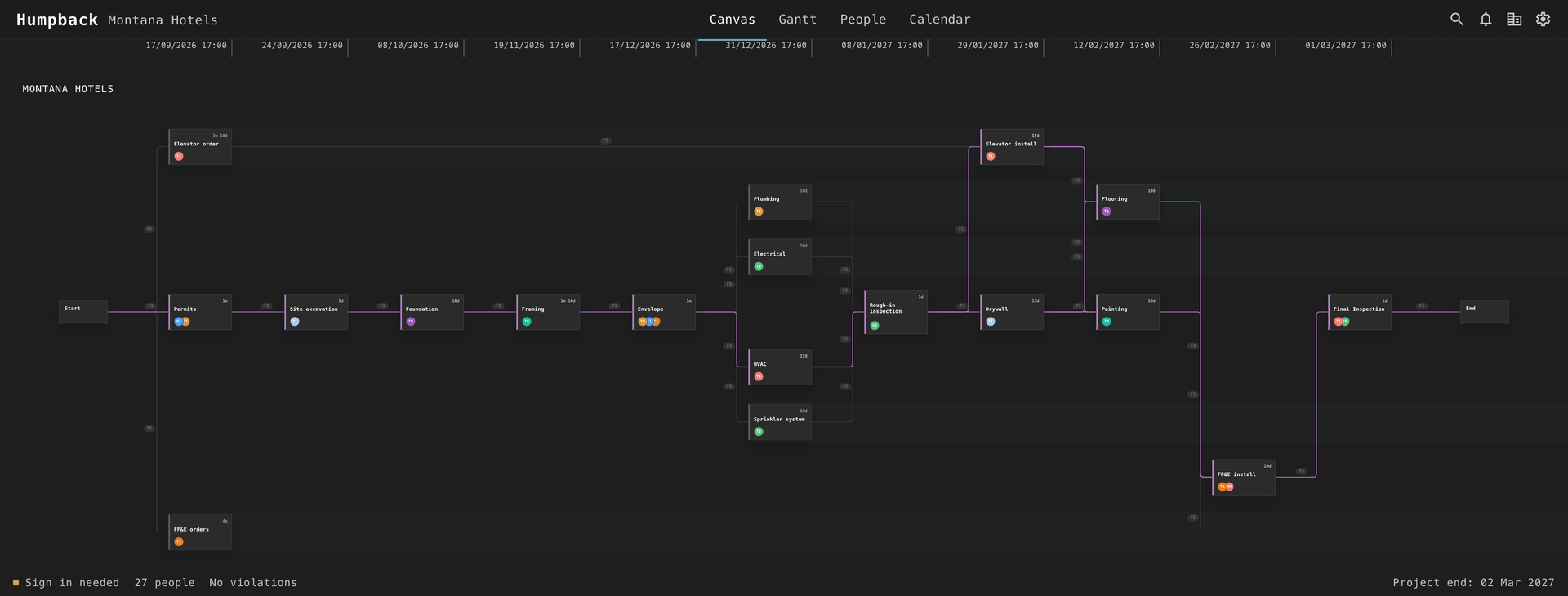
If you can draw boxes and arrows, you can plan a project.
Add the tasks. Connect what waits for what. Put people on them. Humpback works out every date, shows the critical path, and tells you what doesn’t fit and why.
No course, no consultant, no template to fight. Big jobs stay tidy: any task can hold its own sub-plan, a double-click away.
Change
Move one date. The rest of the job moves with it.
Permits slips a month? Change it once. Every task that depends on it is rescheduled on the spot, along with the finish date.
Your team sees nothing until you press Sync. Try things, undo them, and publish when you’re sure.
Coordinate
Two projects, one pair of hands.
Managers who share people can share a journal: a file in a folder you all reach, like a shared Drive or Dropbox. When you assign someone already booked on another project, Humpback marks them busy before you commit.
You assign someone who’s taken.
Robin is on Electrical in another project. Humpback shows it.
You request the move and Sync.
Nothing changes on their side yet.
The other manager decides.
They see your request and approve or decline.
You Sync again.
Robin’s calendar updates. No phone calls, no surprises.
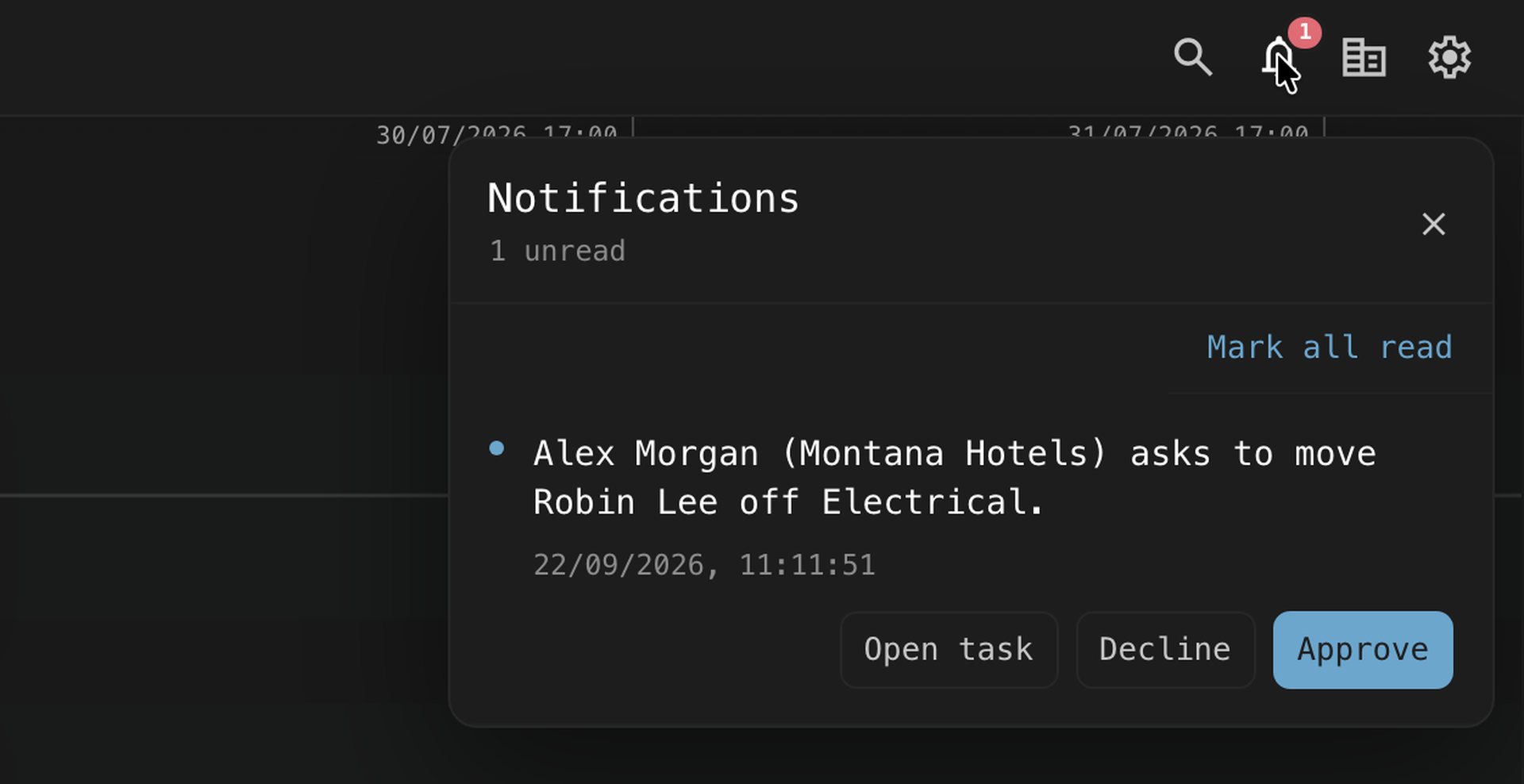
Whoever creates the journal decides what it holds: project and manager names or just “busy”, a password or none, and whether moves need approval. It flags every booking that has been synced to it. It can’t see commitments nobody recorded.
For project managers
Simple on top. Proper CPM underneath.
You don’t need to know any of this to use Humpback. It’s there when you do.
- All four dependency types. Finish-to-start, start-to-start, finish-to-finish and start-to-finish, each with its own lag.
- Constraints. Earliest and latest start and finish on any task.
- Float and critical path. Total and free float for every task, with the controlling links highlighted.
- Nested plans. Sub-plans are scheduled first and roll up into their parent, as deep as you need.
- Working hours. Company hours, or each person’s own. Work never lands on a night or a day off.
- Clear conflicts. When a plan can’t work, Humpback shows where the problem comes from.
- Your projects are files on your computer. Back them up, move them, delete them. They’re yours.
- Sync goes straight to Google. From your computer to your Google account, with nothing in between.
- Journals live in your folder. Encrypted if you want, anonymous if you want.
- Leave cleanly. Disconnect and remove every event you ever published, in one step. Hand a project to a colleague with its bookings released.
Pricing
Stop retyping the schedule into everyone’s calendar.
Plan for free, forever. Try Sync free for 7 days and watch your team’s calendars fill up. The people you schedule never pay.